Endurance app · free to test

Not a training plan. Yours.

You open the app before you head out — and it tells you, for this moment, what to do: sport, duration, intensity, zones — grounded in sports science, computed on your iPhone.

Open TestFlight · connect Apple Health · see your first recommendation

Test now

You need an iPhone on iOS 26 and Apple Health with a few weeks of history.

No account No cloud Provider-independent

The decision·Today

One recommendation, not ten options

← swipe or drag · also advances on its own →

6signals per decision
7disciplines incl. rest
0accounts · servers · trackers
100 %computed on device

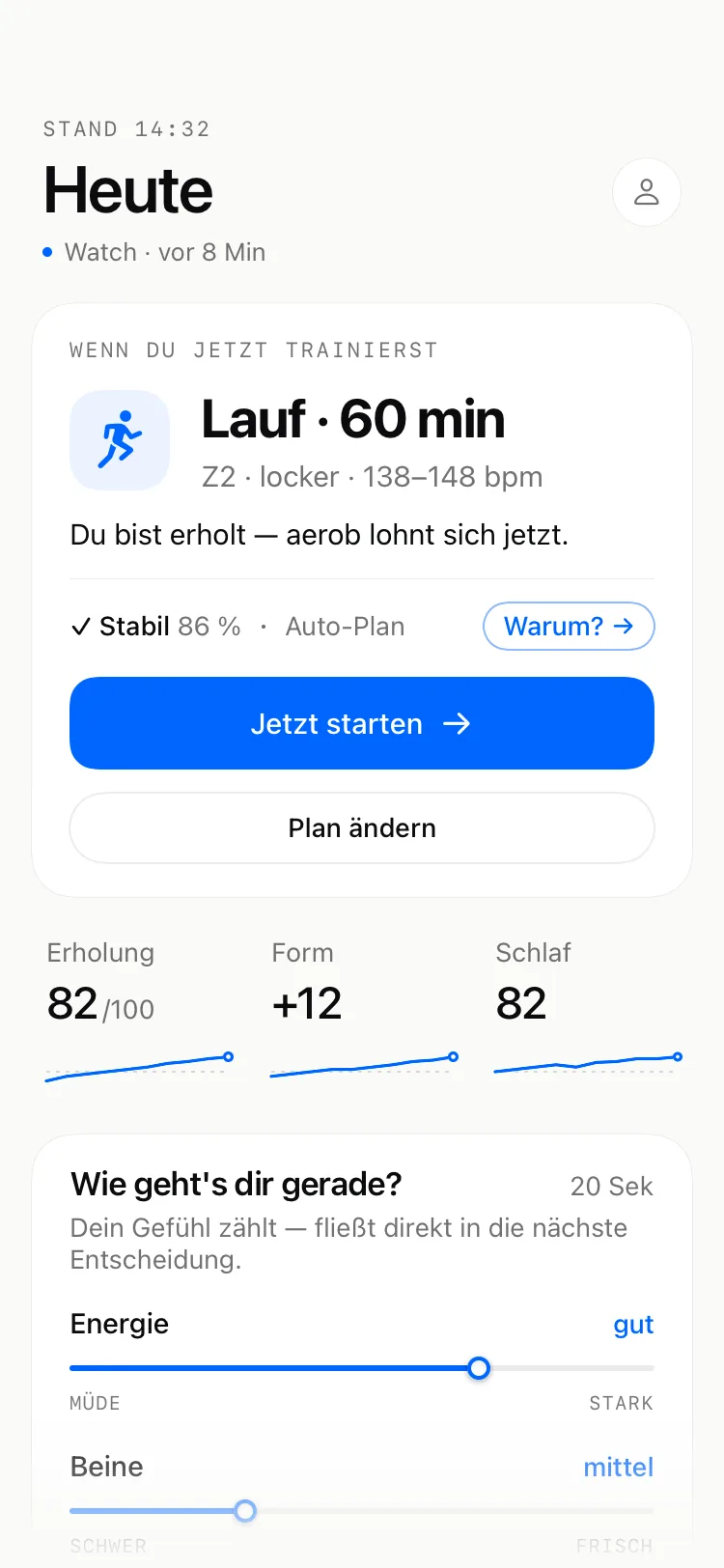
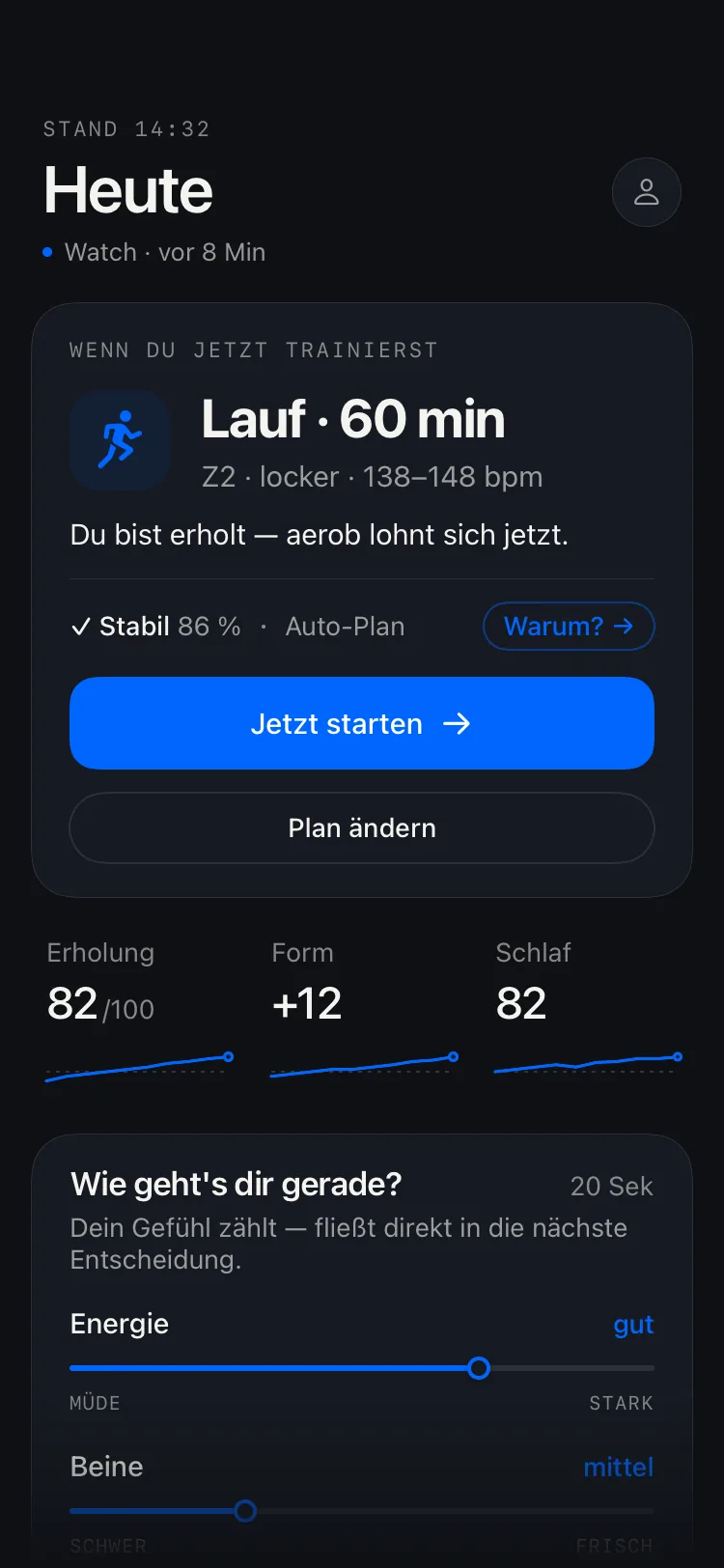
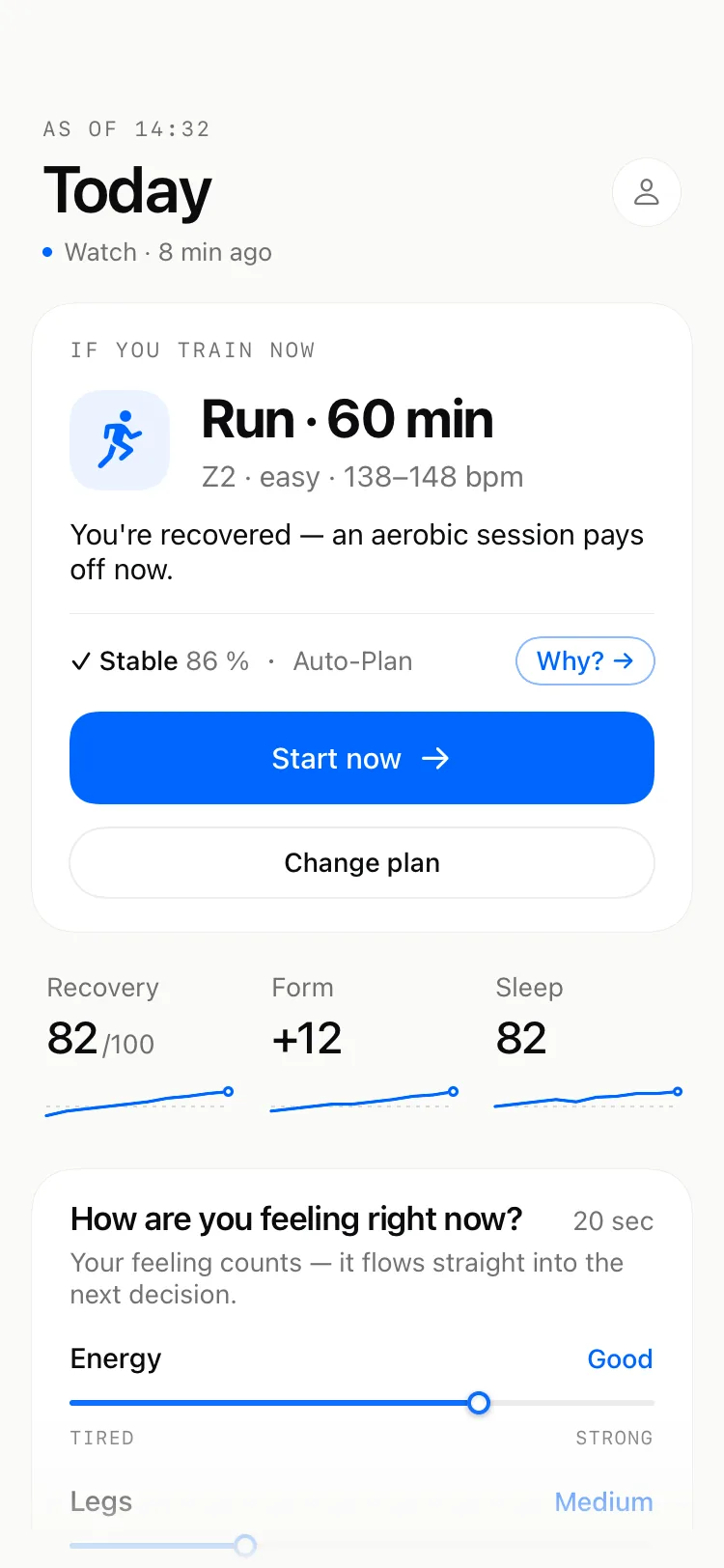
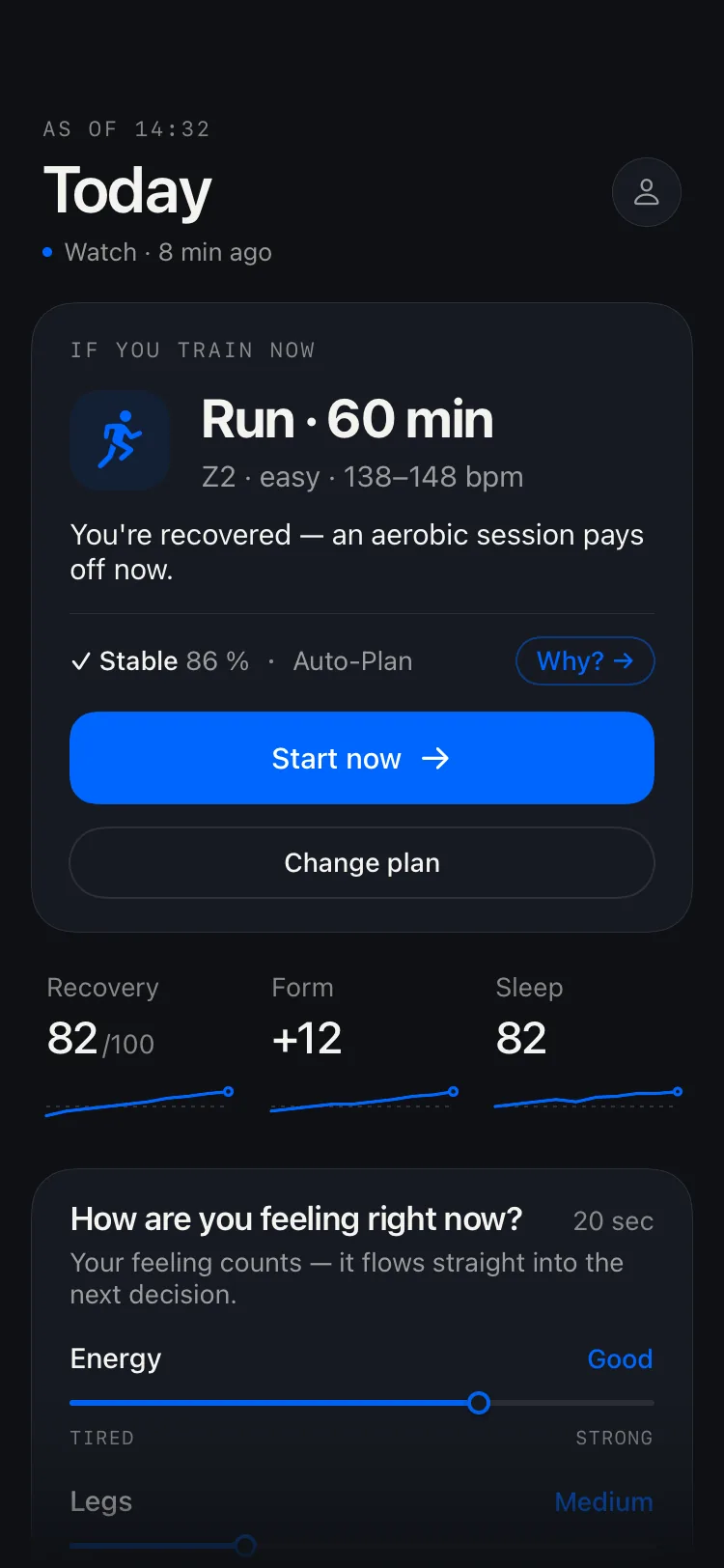
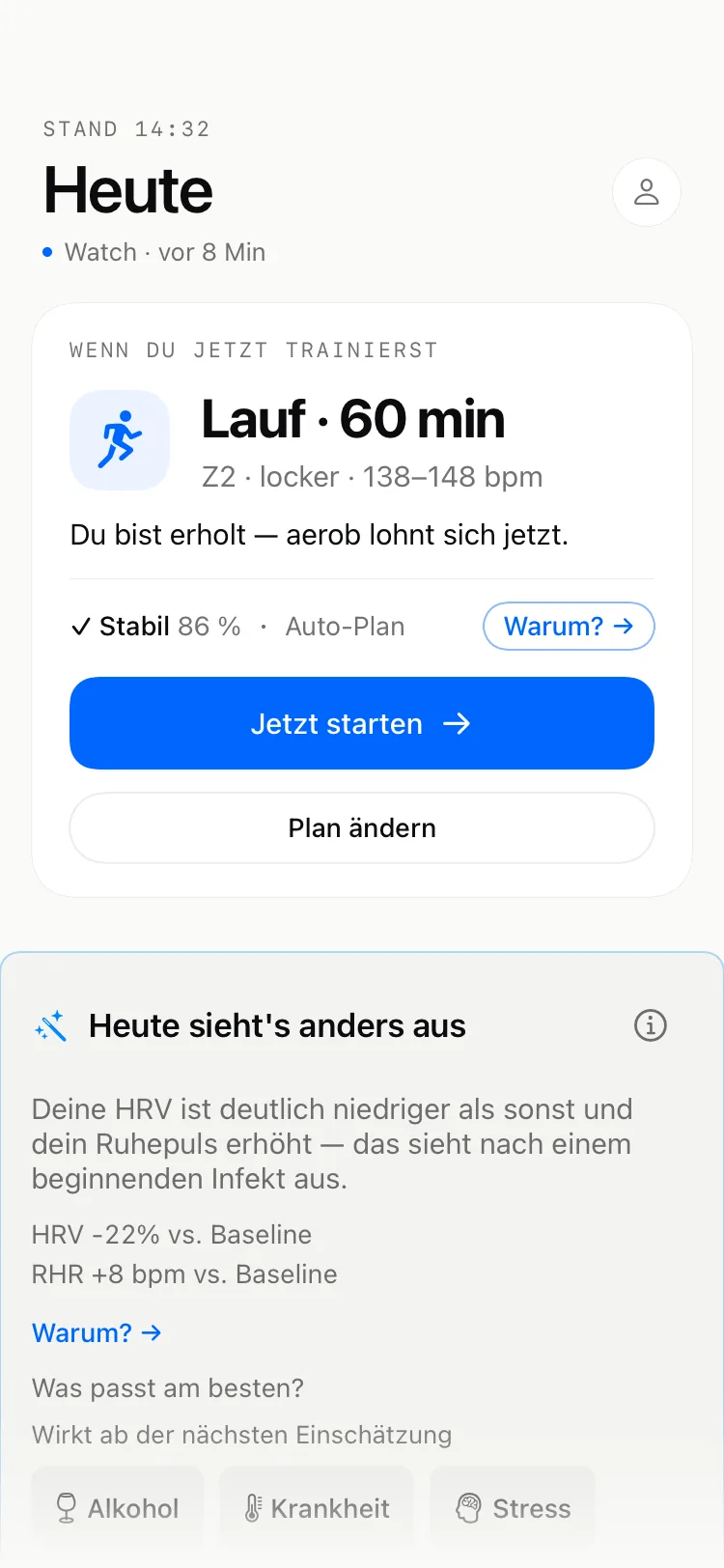
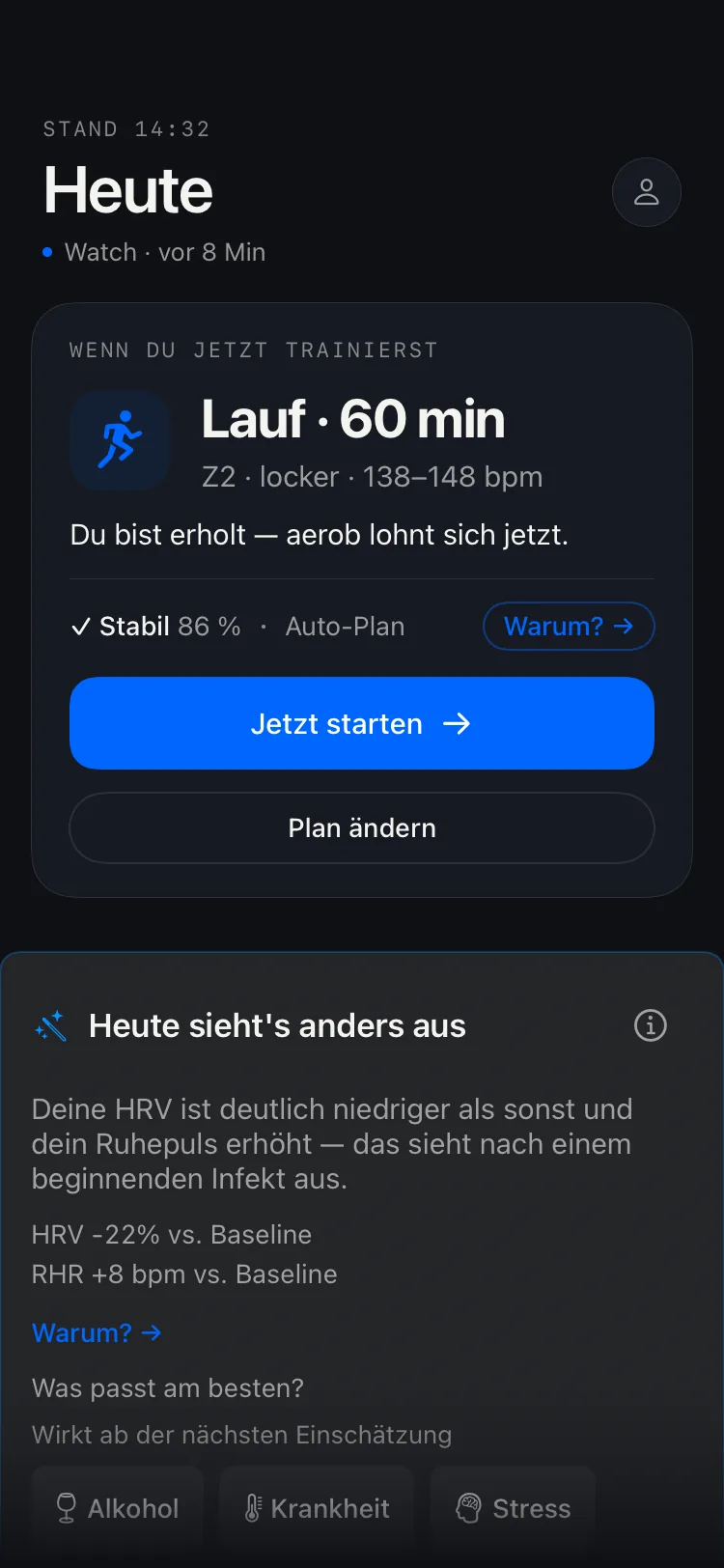
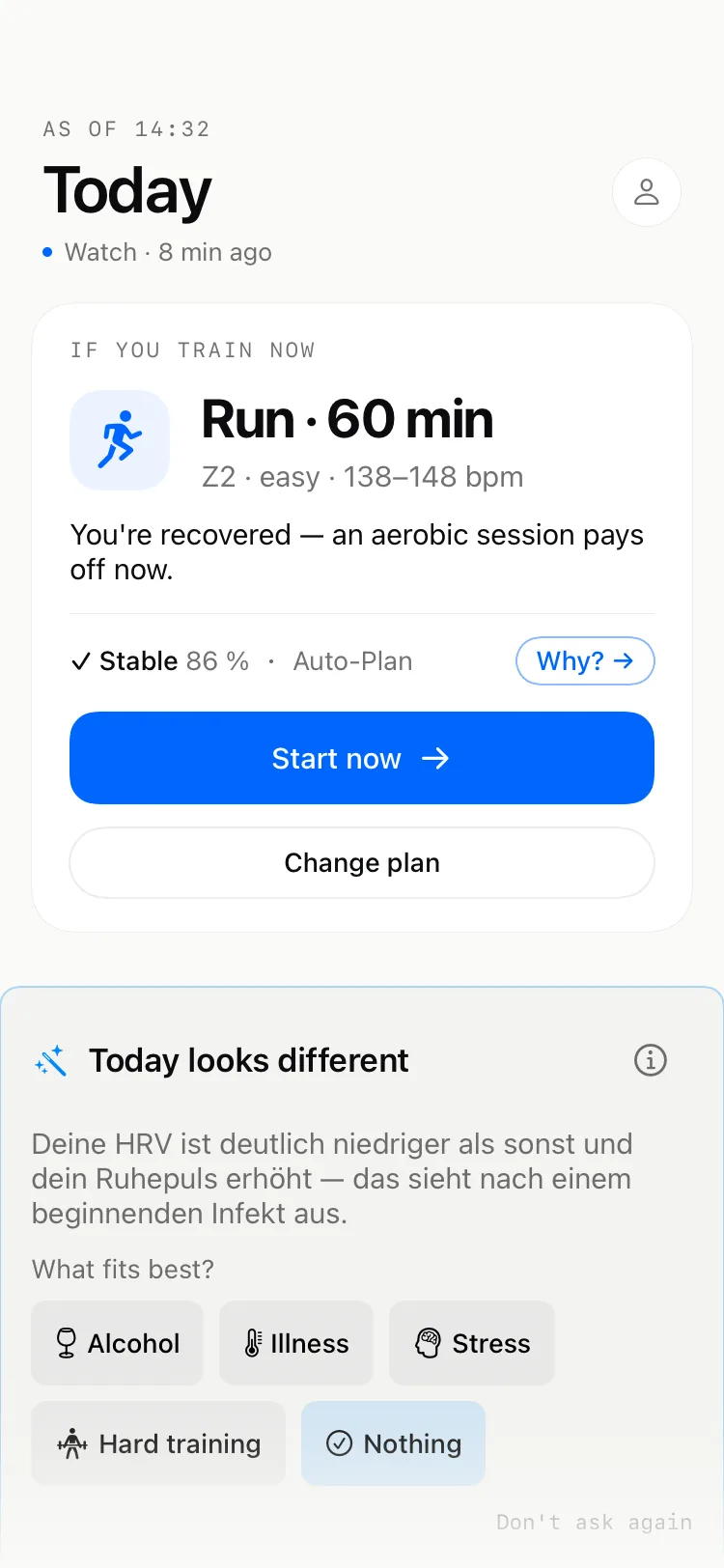
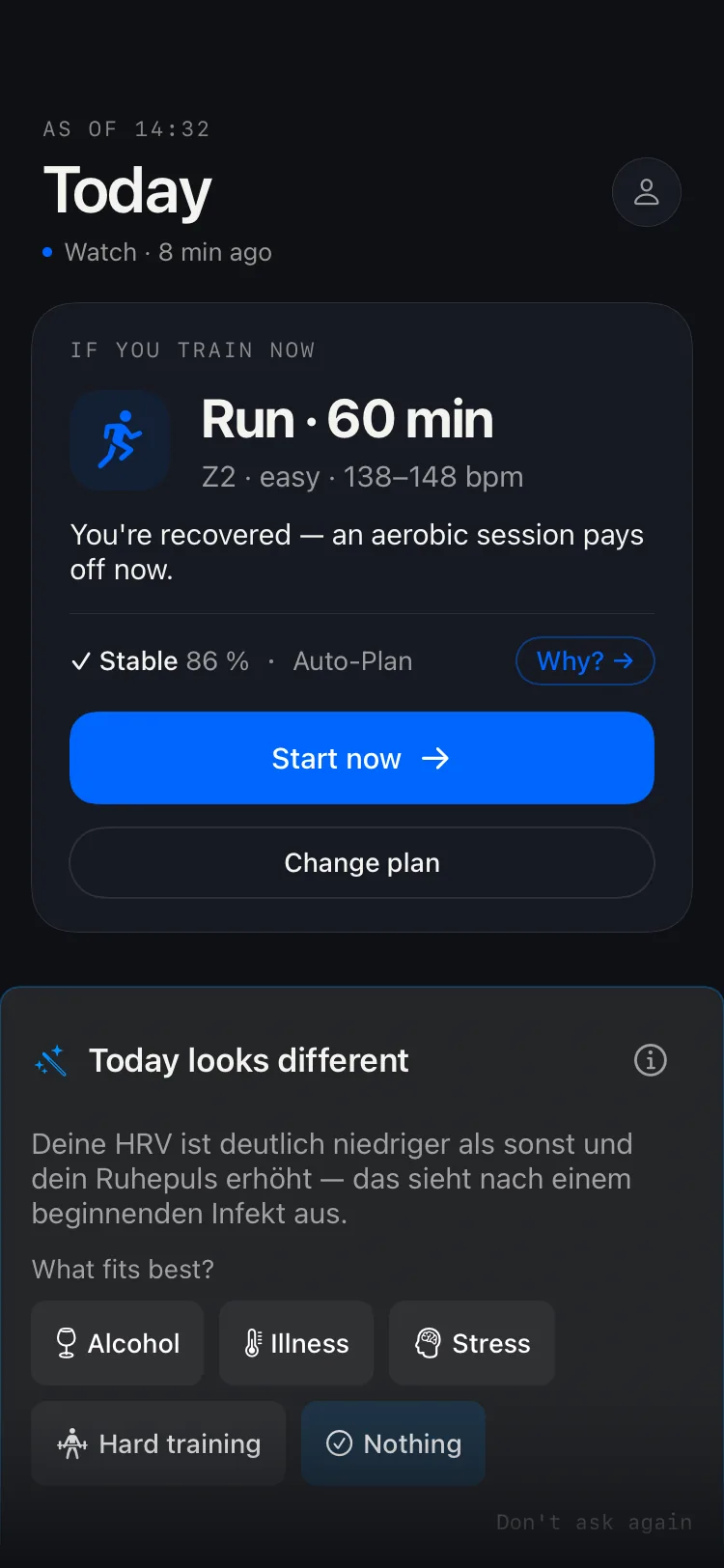
Short film: at your actual time of day you want to head out. Depending on the hour, your night, your morning or your whole day is already in — sleep, HRV, check-in, steps, resting heart rate, load. That becomes one decision for exactly this moment, tailored to your goal and your profile, computed locally on your iPhone. Afterwards the app asks how it went — and decides better next time.

Not a video — real app screens, and the clock is yours.

The difference

Not an app that guesses.

A coach measures, classifies and explains. That's what the app does — from your data, on your device.

200+data fields feed every decision

Now — not this morning.Other apps hand you a day plan over breakfast. DecisionEngine computes when you open it: 06:40 gives a different answer than 19:20.
It also says no.At 5.8 h sleep and HRV −18 % you get a recharge day, with the reasoning and an easy alternative. With a starting infection or a declared injury, the app caps sport and intensity until it holds again.
No off-the-shelf plan.The app recognises your athlete type per sport from your thresholds and performance curves, and trains you by it — not by an average.
When the data is thin, it says so.Instead of inventing a number, the app says “not enough data for that yet” — a made-up readiness is worse than none. The longer you're on board, the sharper the picture gets.

Disciplines

Six sports. And rest as the seventh answer.

RunZones · pace · ACWR
BikeWatts · zones · load
SwimDistance · technique
StrengthMuscle groups · sets
BrickBike → run in one go
Cross-countryreplaces running in winter
Restalso a decision

Strength counts as its own discipline in total load — leg day doesn't collide with the long run. For triathlon: readiness per discipline, brick as its own session.

What goes in

90 days. 124 fields per day. One sentence.

For a single day the app carries up to 124 fields: measured values from Health, the quantities derived from them — load ratios per sport, baselines, deviations — and what you report yourself. Some every day, some only after a session; the gaps are part of it. Over 90 days that is up to 10,710 numbers, plus the moment you are asking in.

90 days agoNOW

45 minutes easy run, zone 2.

One decision. Expandable down to every signal that carried it.

90days of history
124fields per day
11 160values when no day is missing
1sentence at the end
The 124 fields, named as they are in the source:

aerobicFitness · neuromuscularFitness · fatigue · injuryRisk · runACWR · bikeACWR · swimACWR · strengthACWR · globalACWR · dailyTrainingLoad · sleepScore · readinessScore · readinessCoverage · recoveryScore · sleepDurationHours · sleepDeepHours · sleepRemHours · sleepCoreHours · sleepAwakeHours · sleepStageSegmentsJSON · baselineRestingHeartRate · hrvRatio · rhrDelta · hrvBaselineSampleCount · sleepHeartRateAvg · sleepHeartRateBaseline · sleepRegularityIndex · bodyMassKg · bodyMassCarriedForward · heightCm · bodyMassBaselineKg · bodyMassDriftPercent · muscleMassKg · leanBodyMassKg · fatMassKg · leanMassDriftPercent · fatMassDriftPercent · bodyCompTrendRaw · bodyFatFraction · muscleMassSourceRaw · leanBodyMassSourceRaw · fatMassSourceRaw · bodyFatSourceRaw · oxygenSaturation · respiratoryRate · symptomLoad · symptomSummary · alcoholicBeveragesCount · walkingAsymmetryPercent · workoutDataQualityScore · vo2Max · hrrOneMinute · appleStateOfMindValence · wristTemperatureCelsius · wristTemperatureDeviationCelsius · sleepApneaAHI · snoringDurationMinutes · pendingRecoveryHintHours · subjectiveReadiness · subjectiveFatigue · subjectiveSoreness · subjectiveStress · subjectiveReadinessZScore · hasIllnessSymptoms · travelOrJetLag · unusualLifeStress · timeZoneOffsetSeconds · injuredDisciplinesRaw · injuryRegionRaw · injurySeverityRaw · injuryTrendRaw · injuryPainOnImpact · sustainedOvertrainingActive · recentHardGroupRide · anomalyConfirmedIllnessToday · directThirdPartyProviderContributed · comebackRampClassRaw · comebackRampCauseRaw · comebackGaitAsymmetryTightened · heatAdaptation · altitudeAdaptation · heatAdaptationProvenanceRaw · altitudeAdaptationProvenanceRaw · sleepHours · timeInBedHours · sleepEfficiencyPercent · sleepREMHours · awakeDurationHours · awakeEpisodes · restingHeartRate · hrvSDNN · averageHeartRate · activeEnergyKcal · stepCount · walkingRunningDistanceKm · cyclingDistanceKm · swimmingDistanceMeters · exerciseMinutes · standMinutes · flightsClimbed · walkingHeartRateAverage · oxygenSaturationPercent · environmentalTemperatureC · environmentalHumidityPercent · altitudeMeters · menstrualFlow · bodyMassIndex · bodyFatPercentage · waistCircumferenceCm · mindfulMinutes · workoutDurationMinutes · workoutLoadScore · runningWorkoutDurationMinutes · cyclingWorkoutDurationMinutes · swimmingWorkoutDurationMinutes · strengthWorkoutDurationMinutes · workoutCount · readiness · soreness · stress · timeAvailableMinutes · hasTravelOrJetLag · hasUnusualLifeStress · cyclingIndoorOverride

The names and their count are real — they are the stored fields of three models in the app's source, duplicates counted once, keys like id and date not counted. A check script keeps the list tied to the source. The values in the wall are generated for this demonstration: a web page does not have your data, and it should not pretend otherwise. Yours stays on your device.

Auditable

“Why?” is an answer, not a promise.

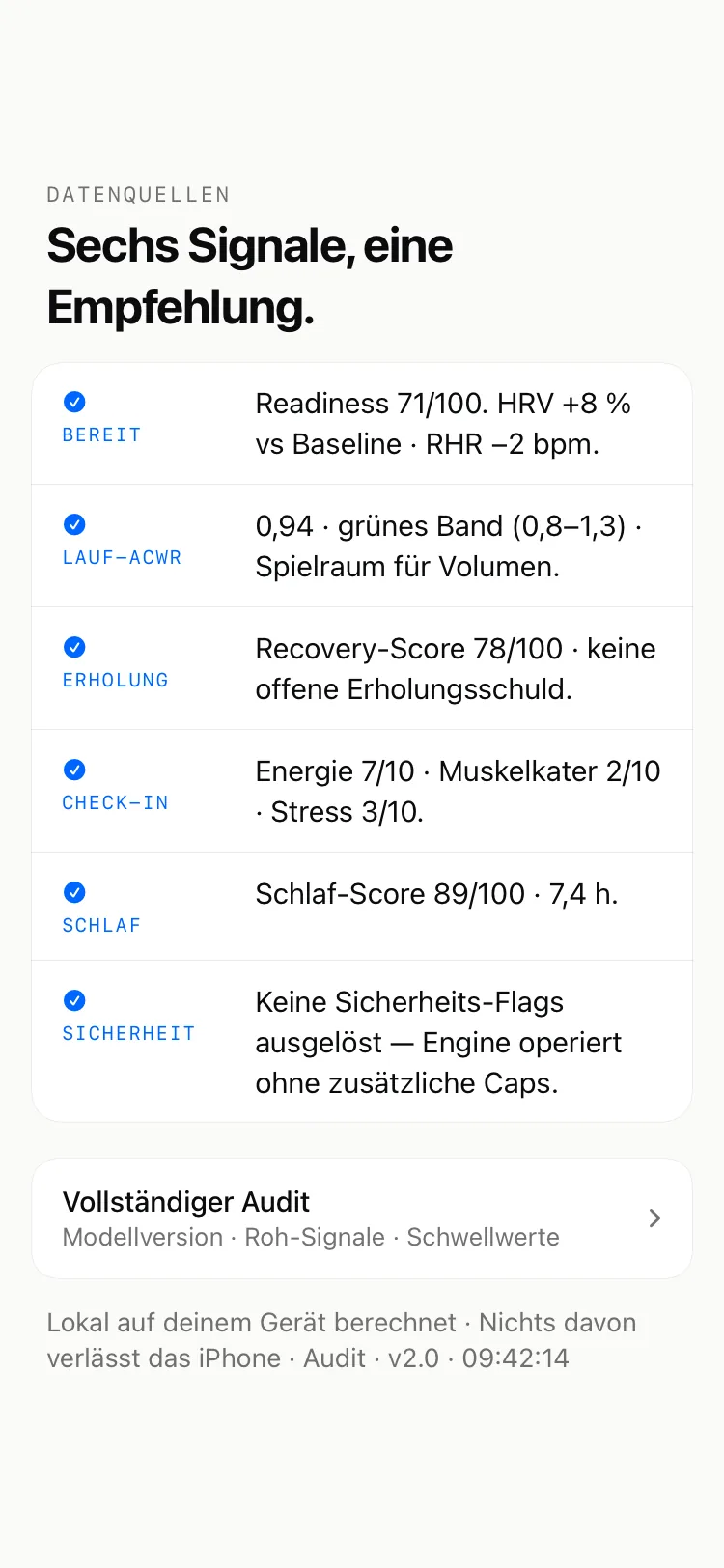
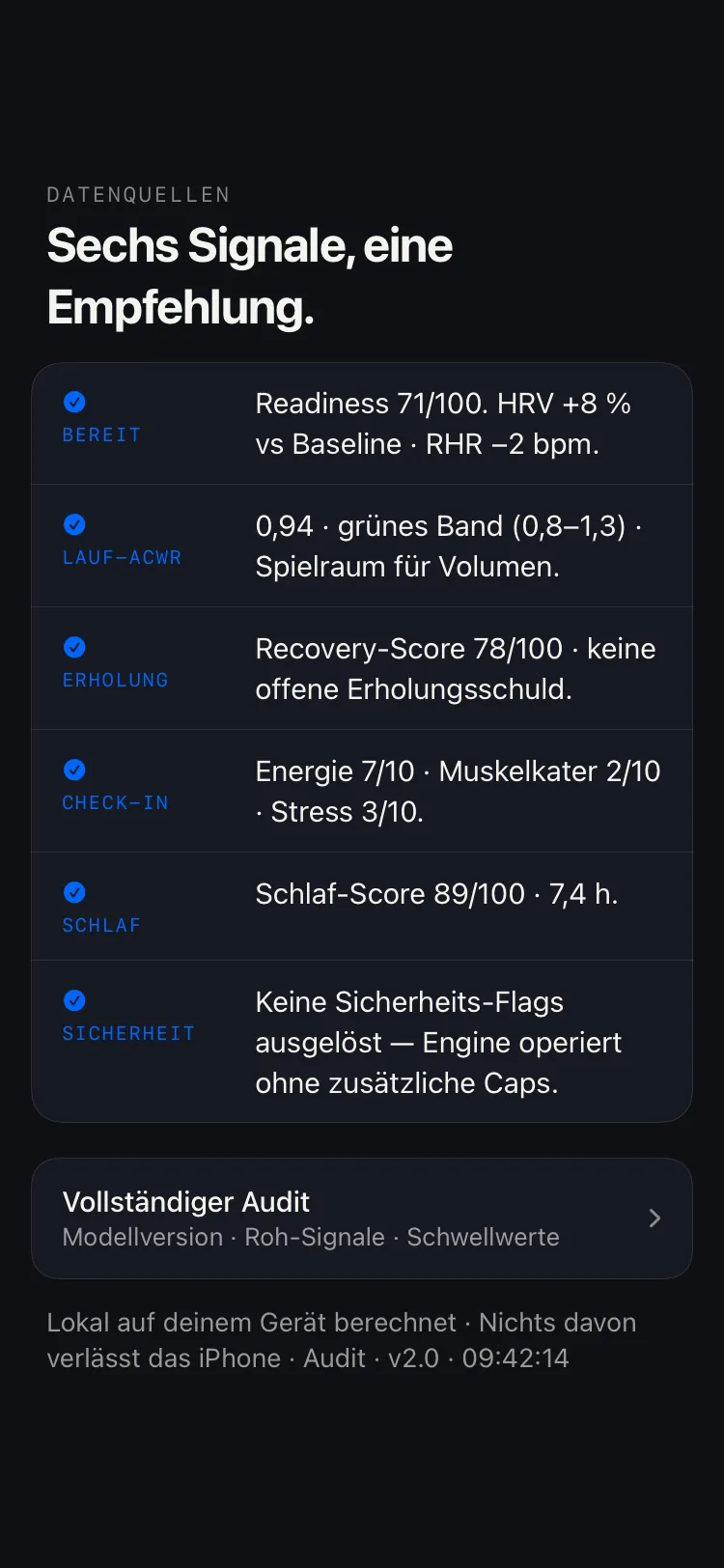
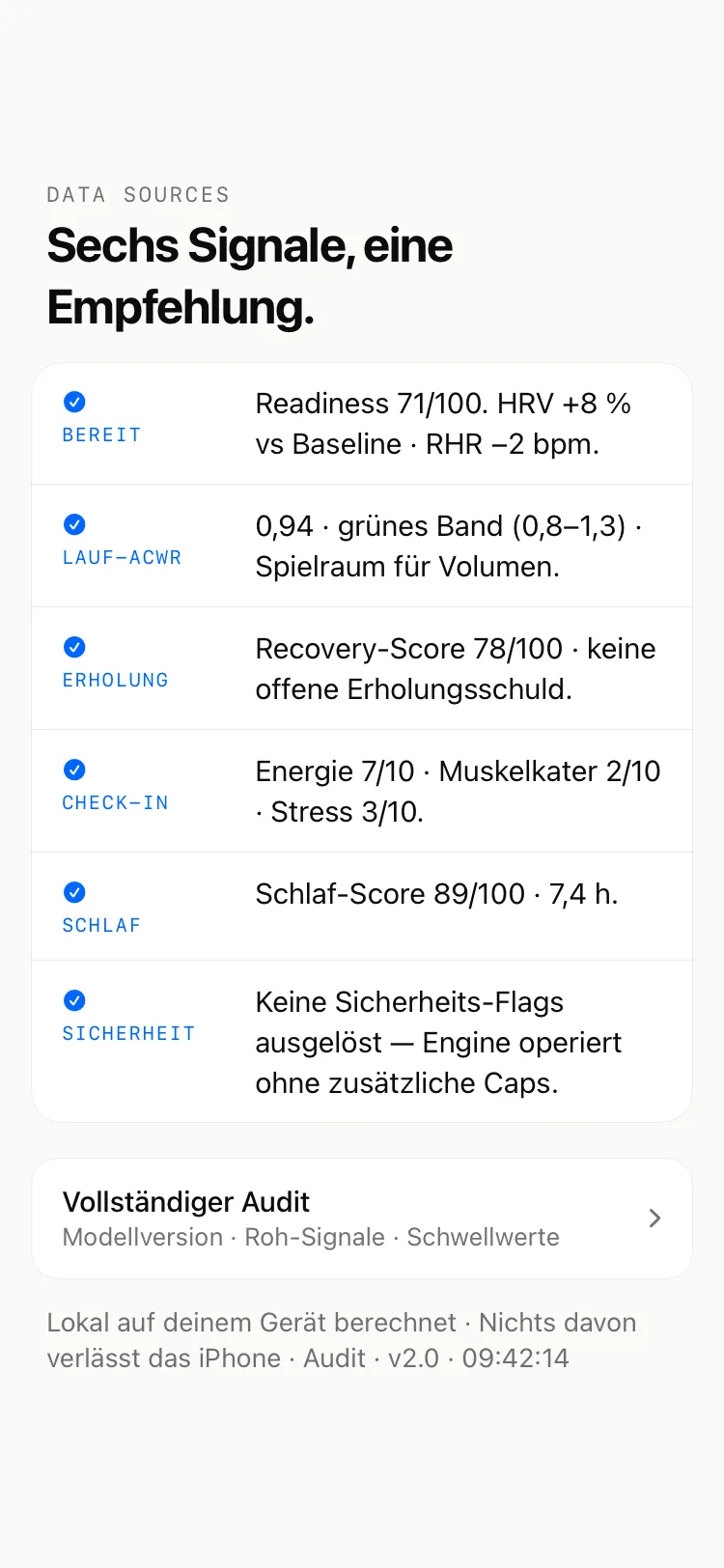
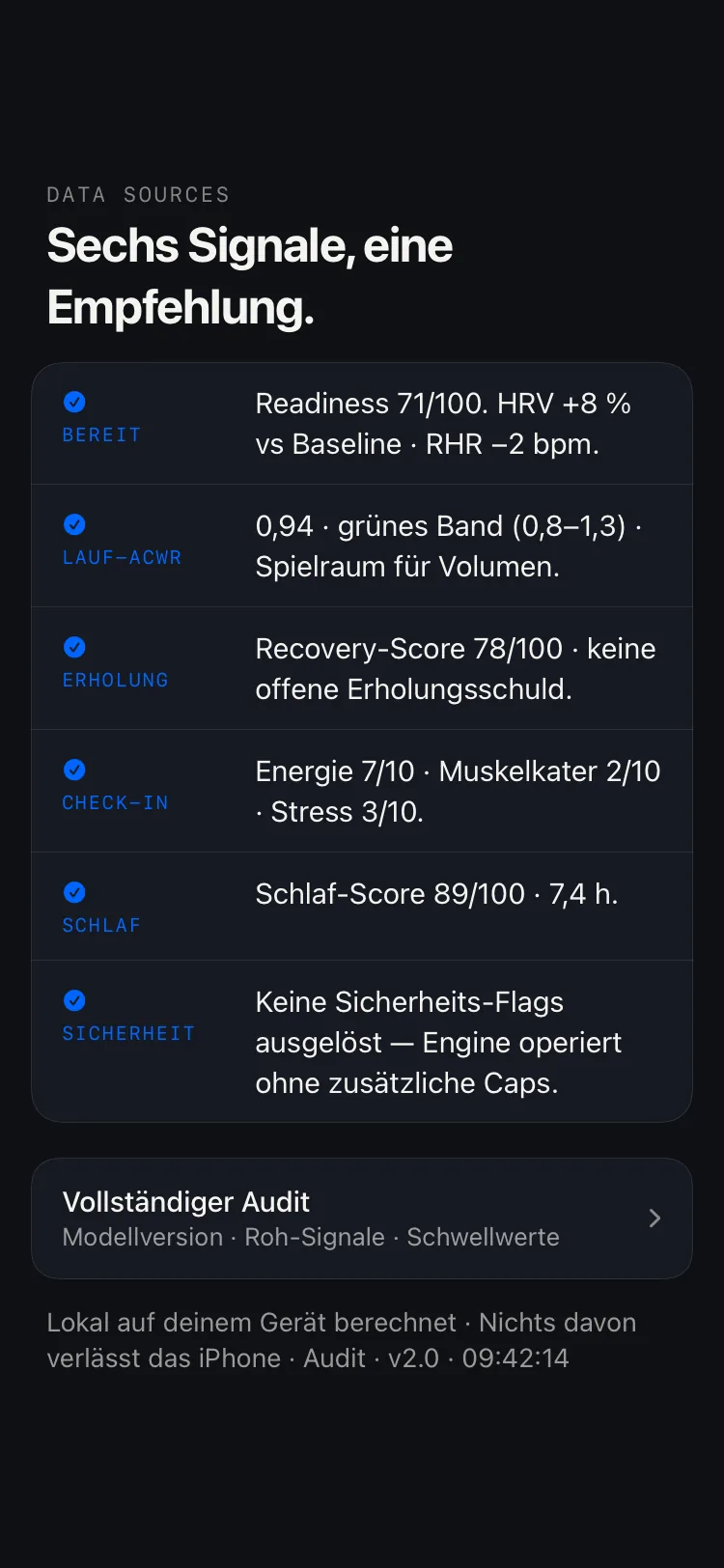
One tap on “Why?” and you see every signal that carried the decision — including the safety pass that found nothing. Computed on device.

Tier 1The decision — sport, duration, intensity, zones.
Tier 2The six signals, each with its value and band.
Tier 3Raw signals, thresholds, model version, timestamp.
DecisionEngine Decision Trail: the signals behind a recommendation, broken down in three tiers DecisionEngine Decision Trail: the signals behind a recommendation, broken down in three tiers DecisionEngine Decision Trail: the signals behind a recommendation, broken down in three tiers DecisionEngine Decision Trail: the signals behind a recommendation, broken down in three tiers

Hands on

Set three signals. Watch which rule fires.

Every threshold below has a source in the literature and a name in the app’s source code. You can move them here without installing anything — nothing is sent, nothing is stored.

Sleep last night
HRV against your baseline
Load over the last 7 days

Dialled back Train, yes — but drop the intensity. One signal argues against it.

  1. QUIET7:20 h of sleep — inside the recommended 7–9 hour range.Hirshkowitz et al. 2015 · anchor 8.0 h · FeatureEngineer.sleepDurationAnchorHours
  2. FIRESHRV 14% below your baseline — the drift threshold sits at 10%.Plews & Laursen 2017 · baseline = 7-day mean lnRMSSD · FeatureEngineer.hrvBaseline
  3. QUIETLoad ratio 1.05 — right inside the 0.8–1.3 corridor.Hulin et al. 2014 · Gabbett 2016 · SafetyEngine.Thresholds.acwrSpike = 1.5

Three of more than forty sourced constants, simplified. Which sport it turns into also depends on your history, your goal and your recent sessions — that needs your data, and your data stays on your device. All sources: the science behind it.

From measurement to decision

Data is the input, not the output.

What matters is how it fits together: HRV, sleep, load and goal read as one — and a conclusion that changes your next session.

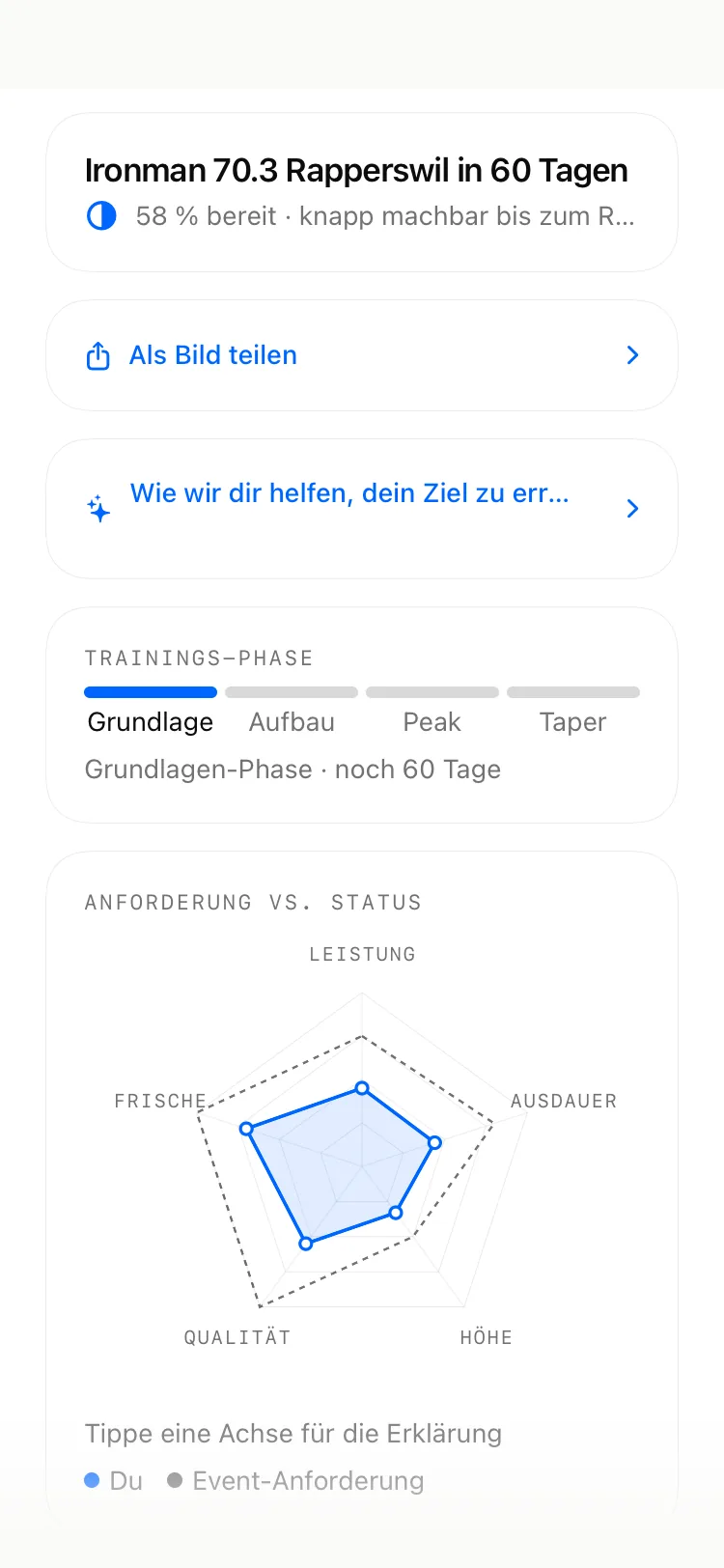
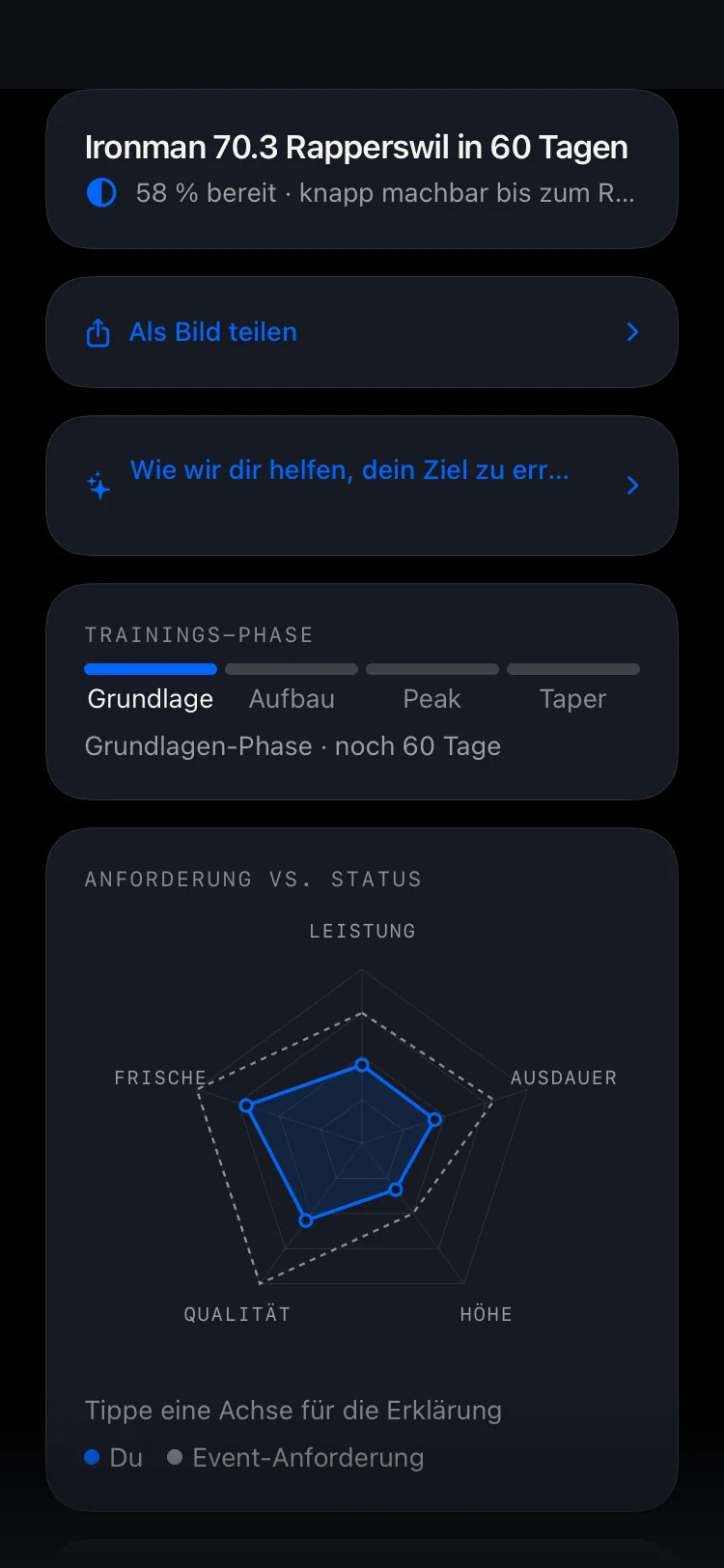
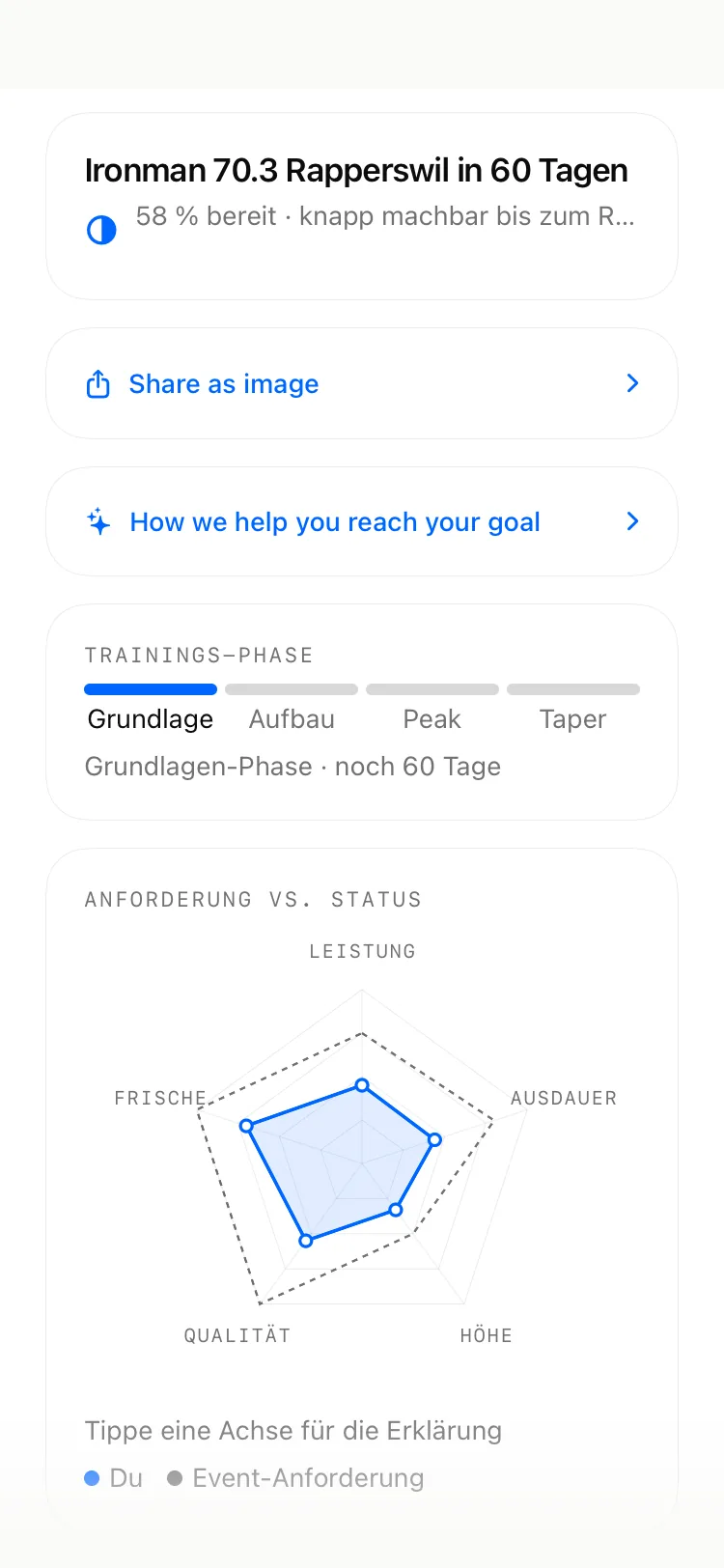
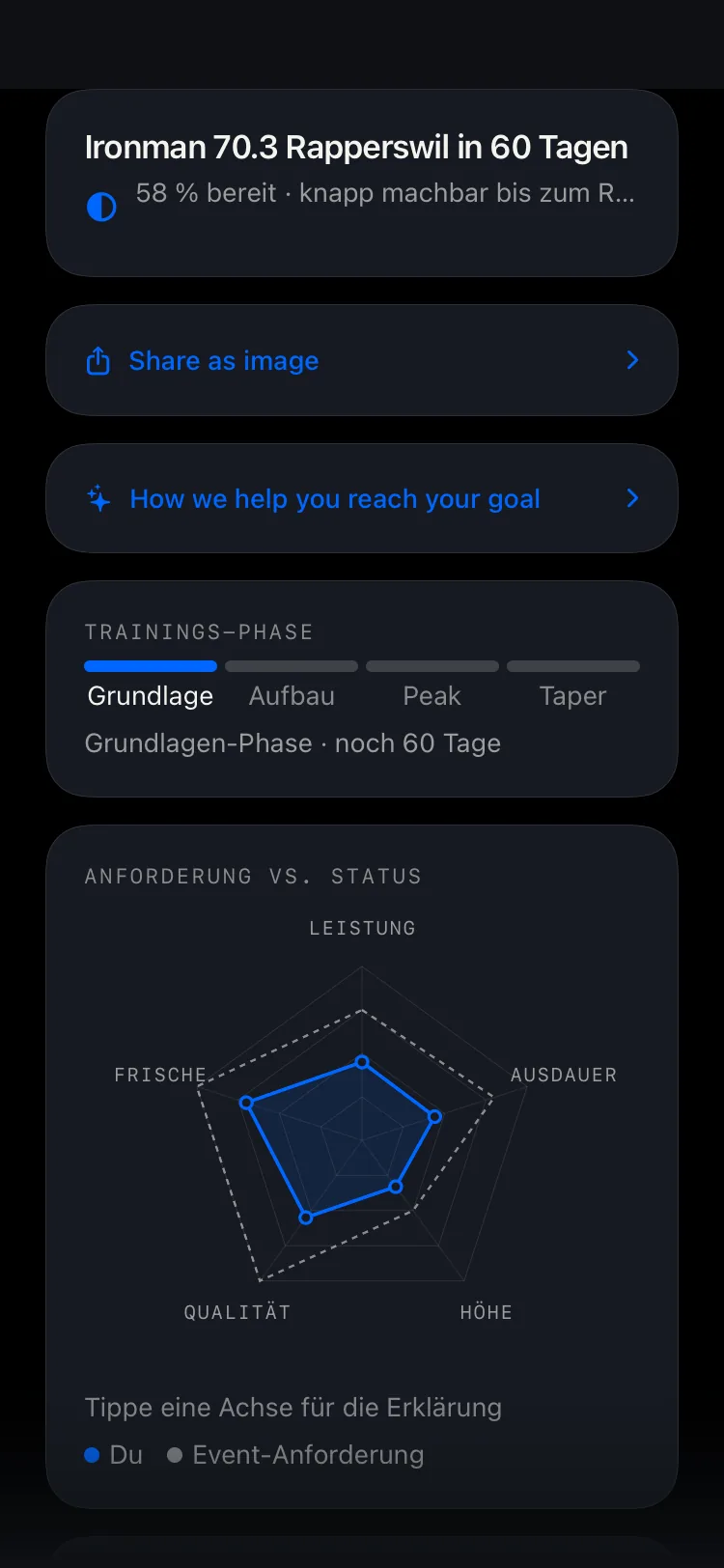
DecisionEngine race-readiness screen: training phase, readiness percentage and radar against a race goal DecisionEngine race-readiness screen: training phase, readiness percentage and radar against a race goal DecisionEngine race-readiness screen: training phase, readiness percentage and radar against a race goal DecisionEngine race-readiness screen: training phase, readiness percentage and radar against a race goal

Race readiness

Against a goal, not into the blue.

Enter your race: the recommendation follows the training phase from base to taper, shows readiness in percent and sets your radar against what the event demands — per discipline for a triathlon.

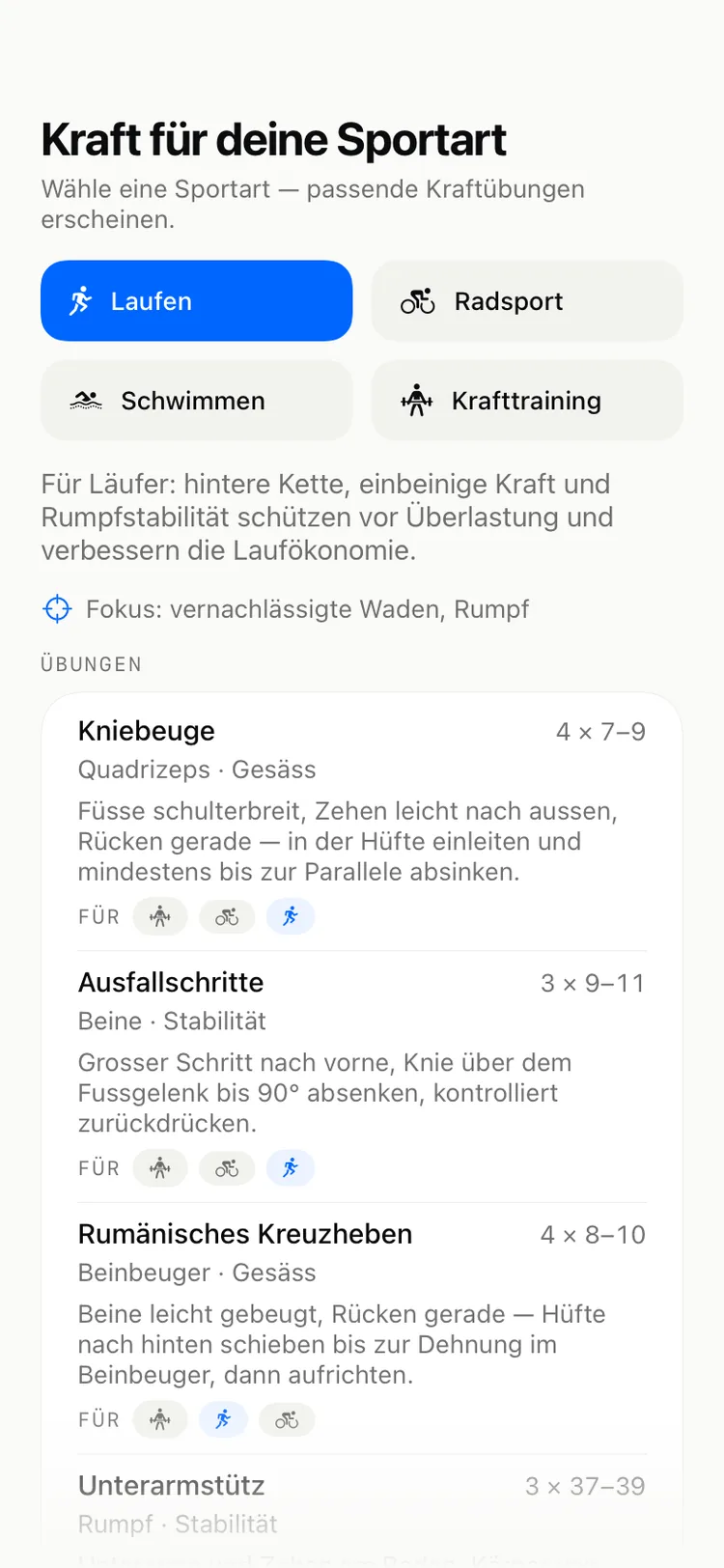
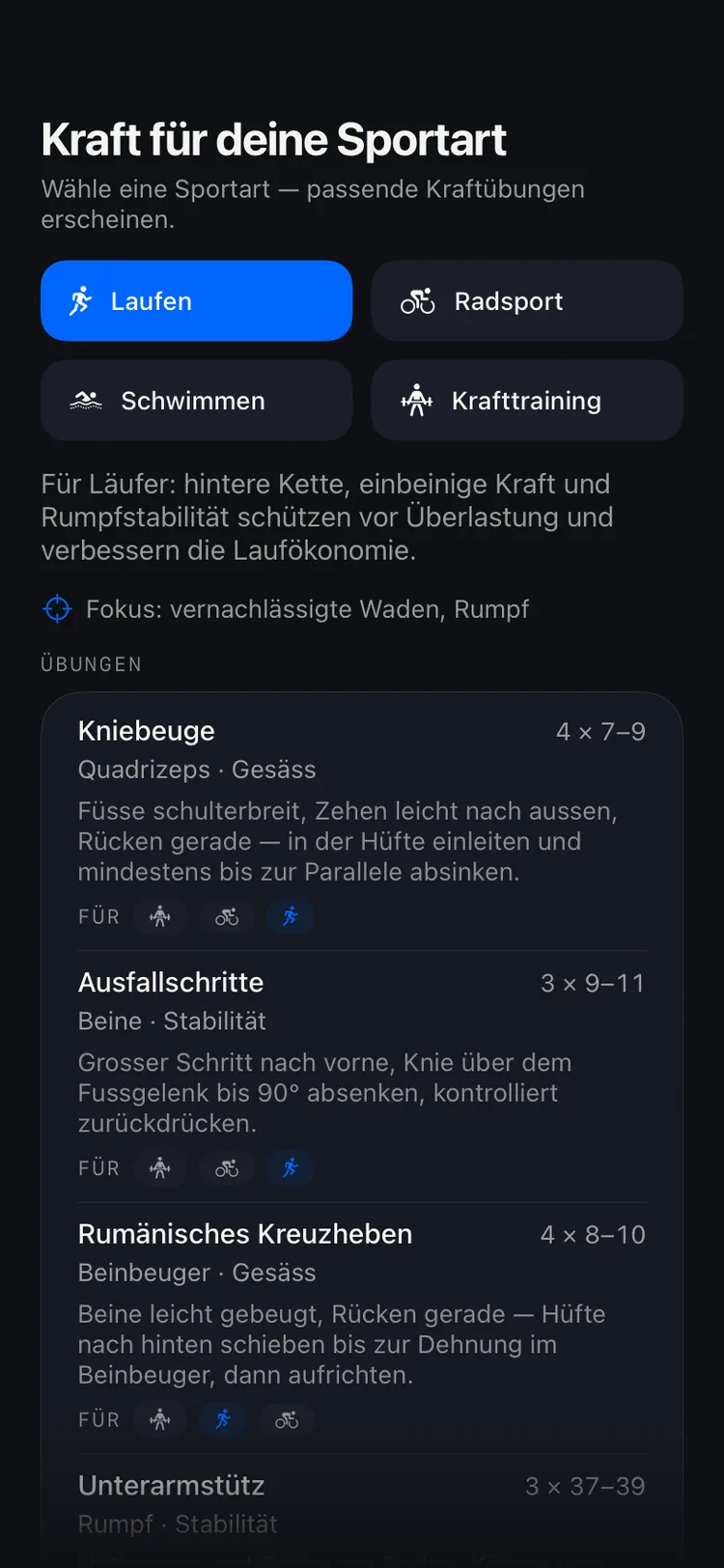
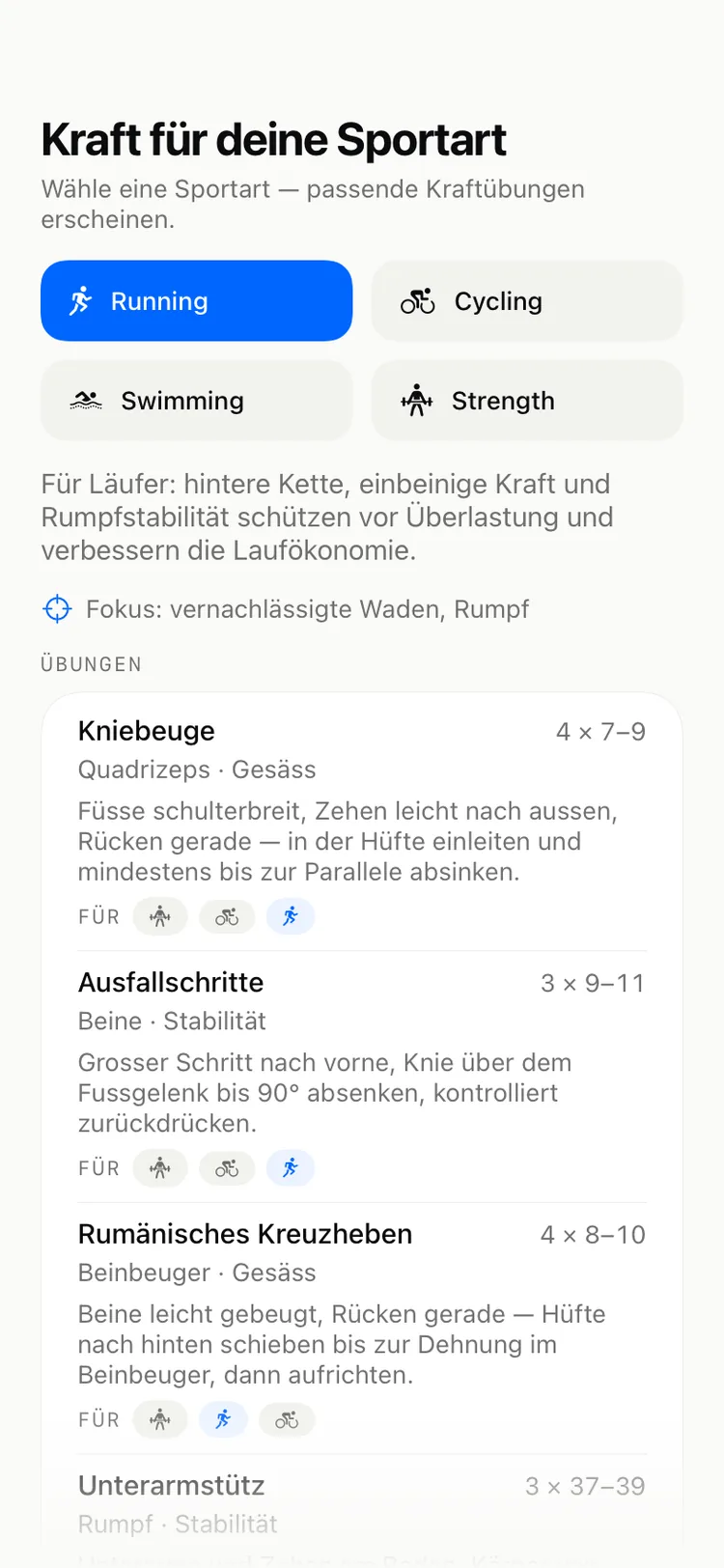
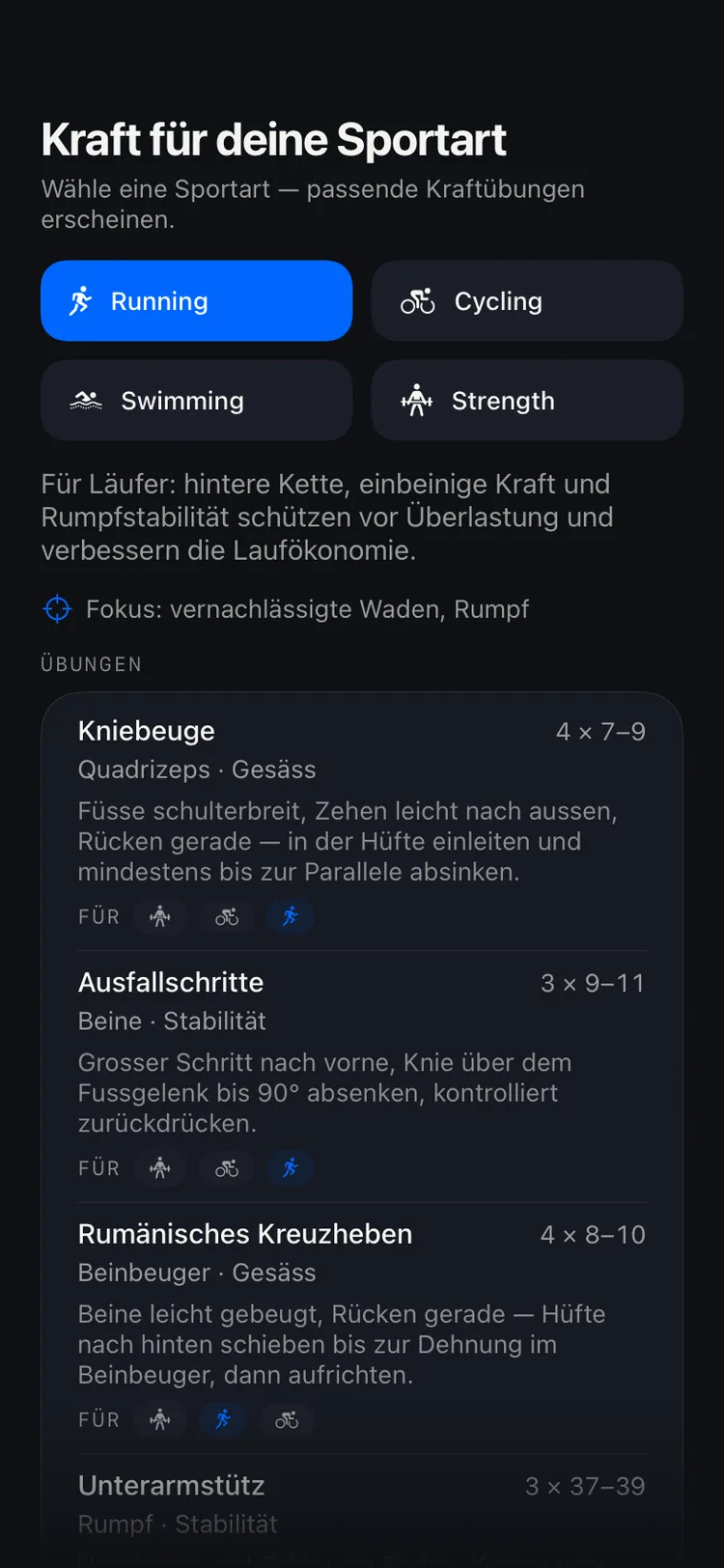
DecisionEngine strength session: automatically chosen exercises with sets and reps DecisionEngine strength session: automatically chosen exercises with sets and reps DecisionEngine strength session: automatically chosen exercises with sets and reps DecisionEngine strength session: automatically chosen exercises with sets and reps

Adaptive strength

Strength that adapts itself.

The app picks exercises by sport, training phase and the muscles you've recently neglected — with sets and reps at your level. What you tick off feeds the next recommendation.

DecisionEngine anomaly alert: HRV below baseline, asking for the likely cause DecisionEngine anomaly alert: HRV below baseline, asking for the likely cause DecisionEngine anomaly alert: HRV below baseline, asking for the likely cause DecisionEngine anomaly alert: HRV below baseline, asking for the likely cause

Anomaly detection

It notices when something's off.

HRV below baseline, resting heart rate up: the app speaks up before you feel it and asks what caused it. Your answer corrects the decision immediately.

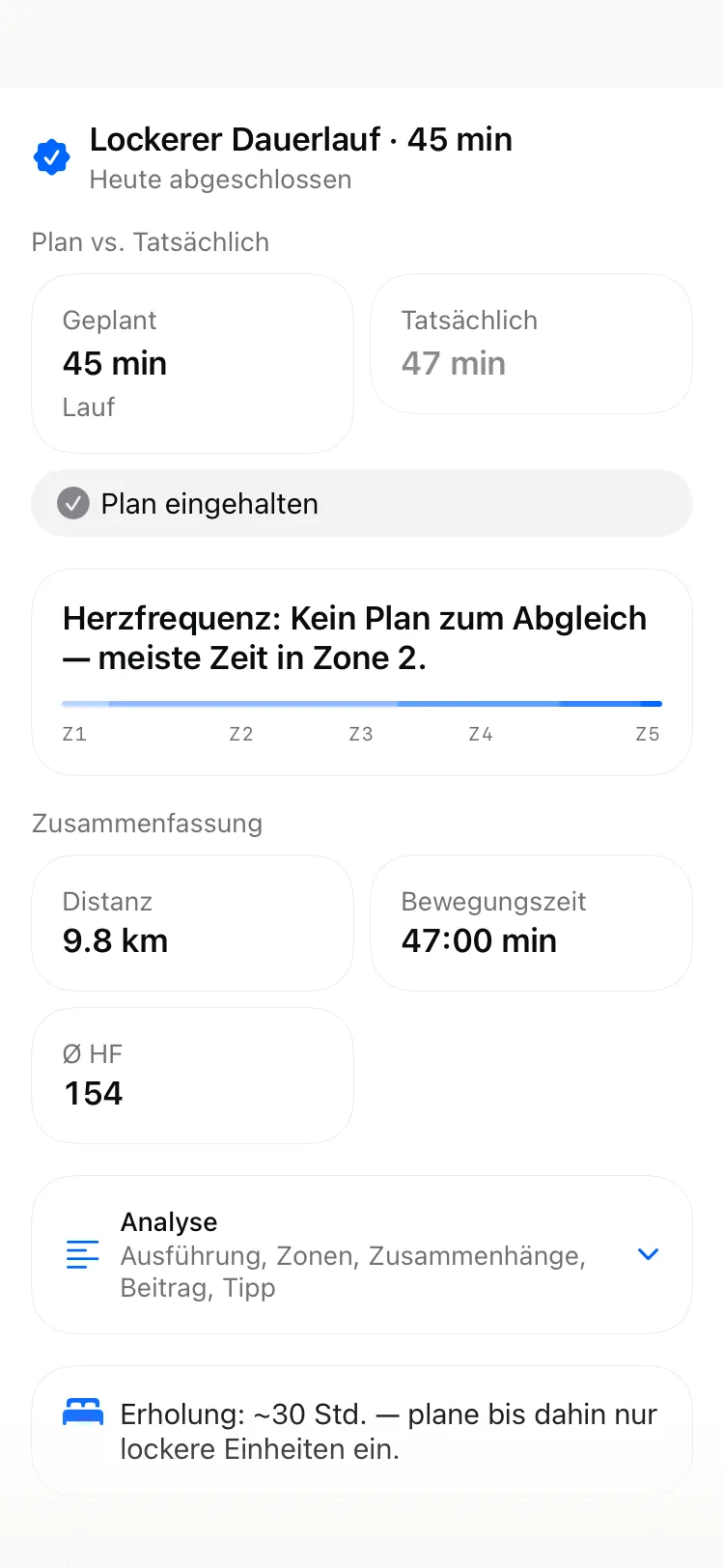
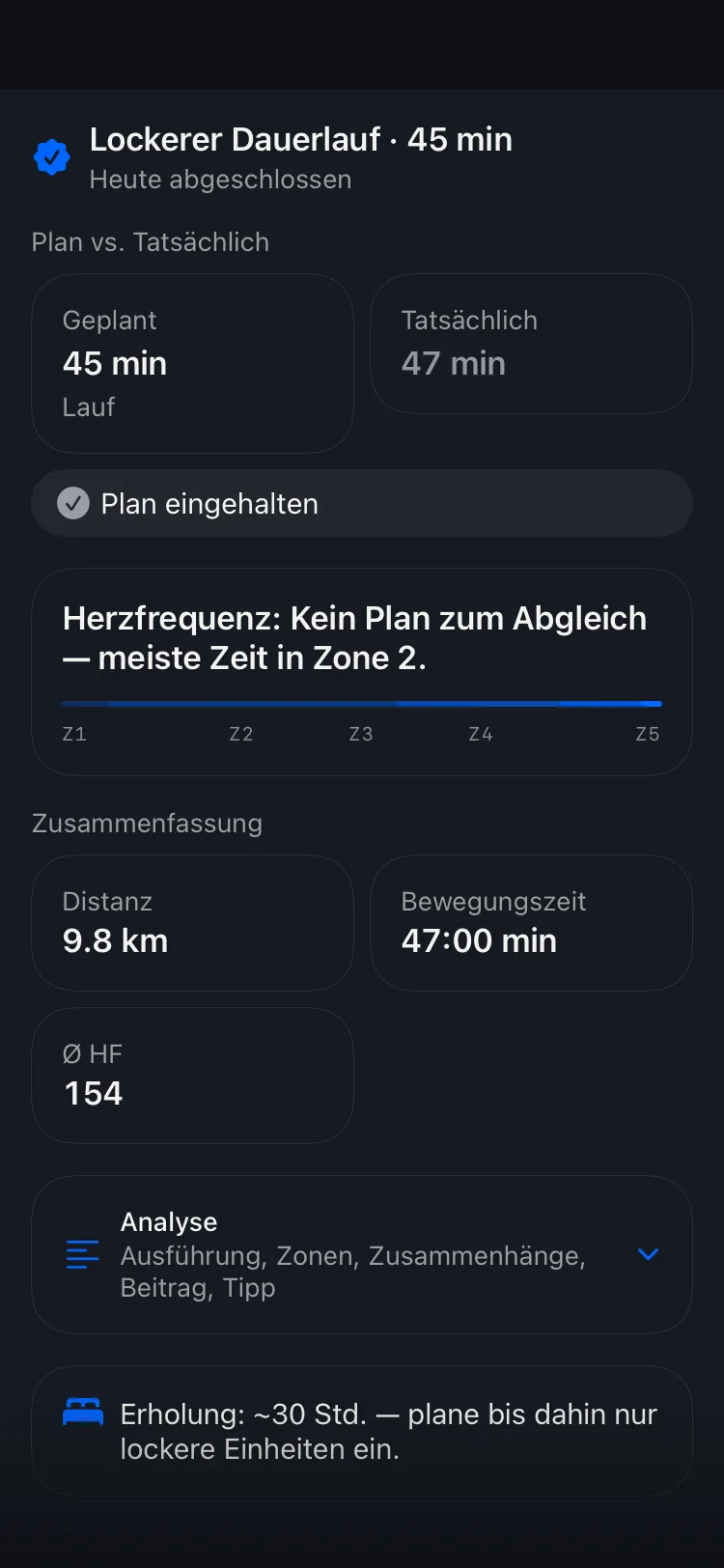
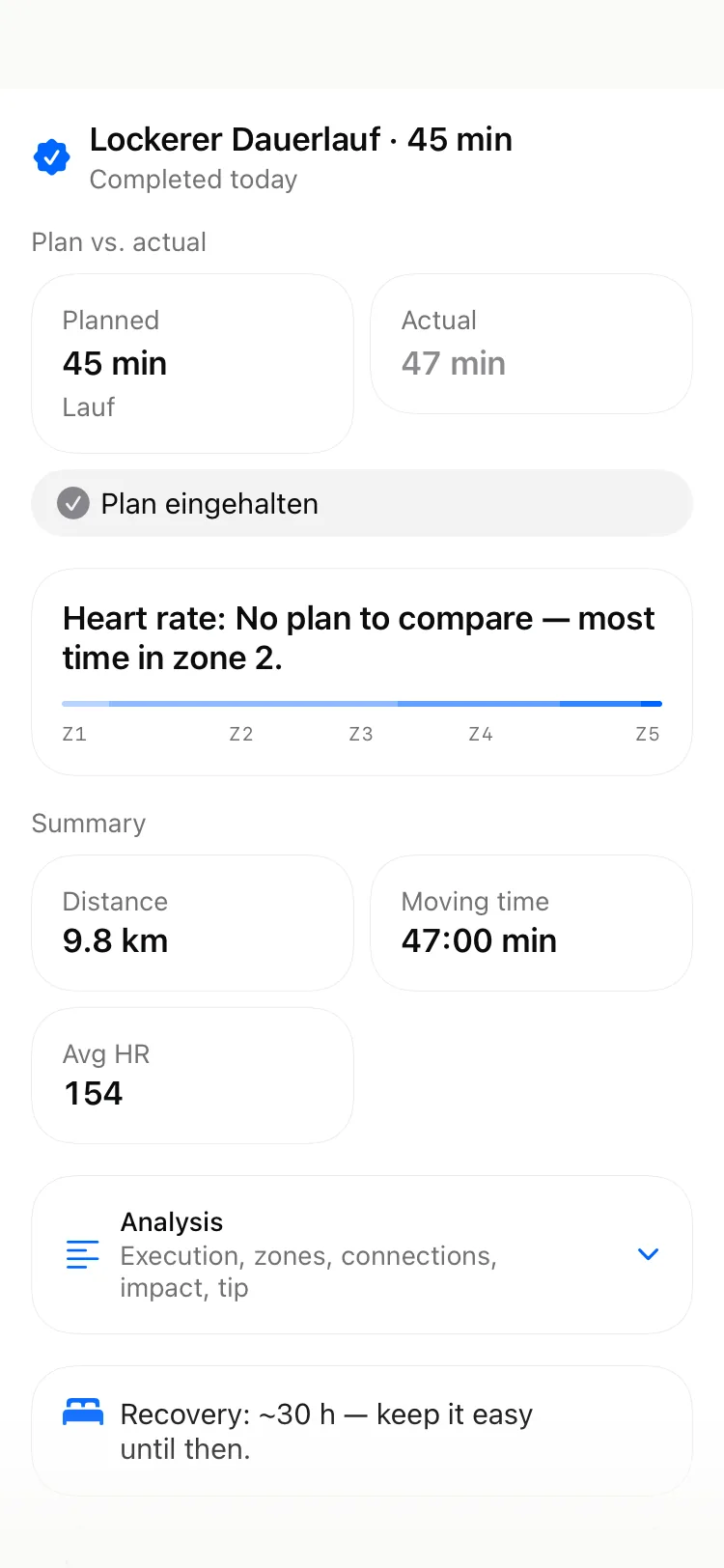
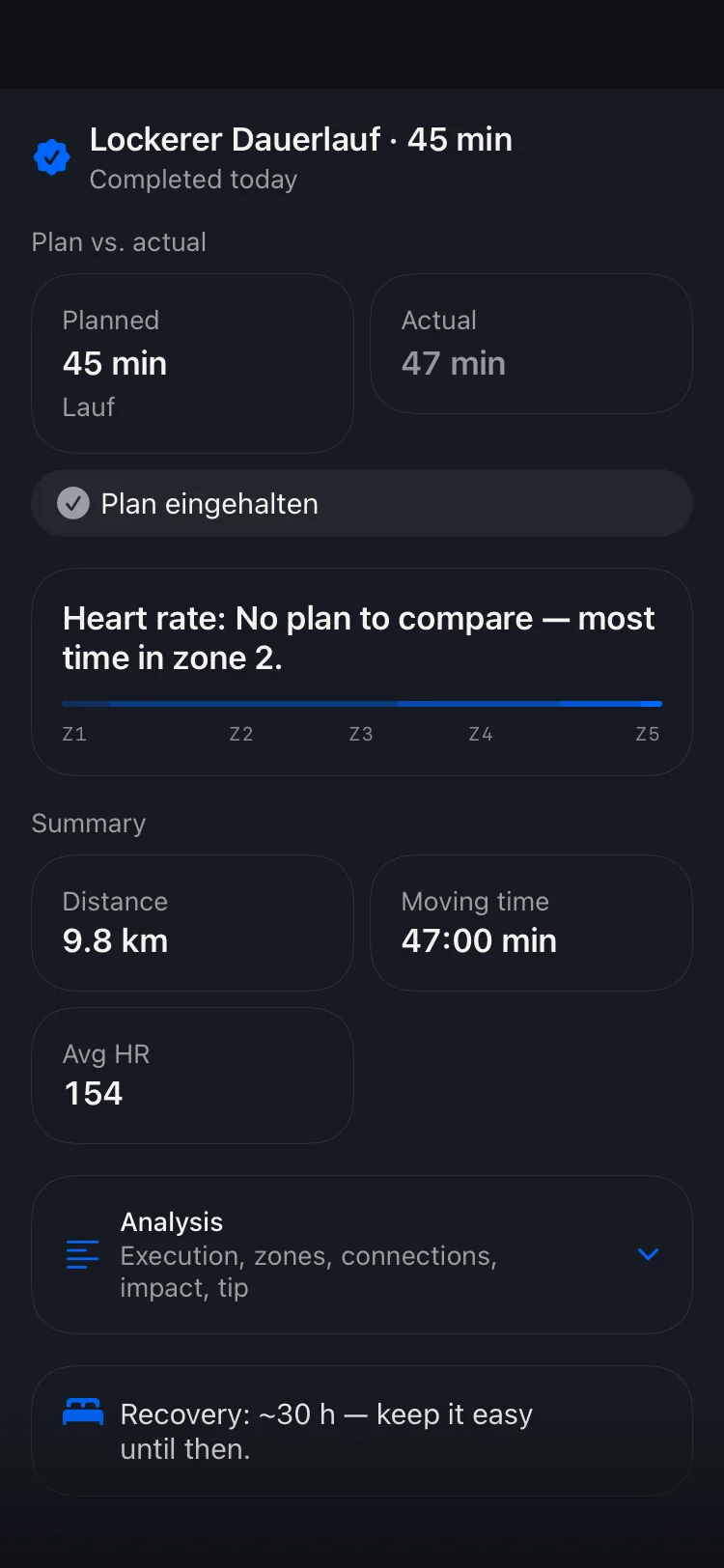
DecisionEngine post-workout summary: recovery recommendation with heart-rate and power analysis DecisionEngine post-workout summary: recovery recommendation with heart-rate and power analysis DecisionEngine post-workout summary: recovery recommendation with heart-rate and power analysis DecisionEngine post-workout summary: recovery recommendation with heart-rate and power analysis

After the session

Not the numbers. What they mean.

“Recovery: ~30 h — keep it easy until then.” That is the output. Behind it sit the session's curves, the zone distribution and the source of every number — there when you want it.

How it runs

Set up once. Then open it when you want to go.

01

Connect

Grant HealthKit, plus optionally Polar, Wahoo, COROS, Withings, Hammerhead or intervals.icu. Duplicate sessions get merged for you.

02

Open it when you want to train

Not the night before, not as a weekly plan. It's for the moment you open it — with last night's sleep and yesterday evening's session already in it.

03

20 seconds, then go

Energy, legs, appetite — three sliders if you like. Then sport, duration, intensity, zones plus the reasoning. One tap to your Watch.

Also: Apple Watch · widget & lock screen · Siri · ask the coach · race brief · routes in history · export to intervals.icu, Wahoo, COROS & co · audio coaching

Michael, Gründer von DecisionEngine

MichaelFounder and developer

Personal training taught me how hard true personalization actually is — it would take a coach by my side before and after every session, because no two days are the same. That's exactly what DecisionEngine replaces: a decision, unique to the moment right before training. Not a plan off the shelf.

Beta

Ready for your first recommendation?

Free in the beta.

Test now

See what has been built so far →

Quick questions

Is this a training plan?

No. There's no weekly plan to work through. There's one decision for the moment you ask — plus the reasoning. A race goal gives it direction without forcing a calendar on you.

Is this another AI coach app?

No. Nothing leaves your iPhone: your data isn't sent to an AI that writes a workout back to you, and no third-party model is trained on it. Everything is computed on the device, from sports-science models — load ratio, recovery, periodisation. Whatever learns over time learns from your data, for you alone. Where text explains something, it only translates numbers that were already computed; invented values are discarded.

How do I get into the beta?

Tap “Test now”, install TestFlight and accept the beta — right away, no waitlist.

What do I need to run it?

An iPhone running iOS 26 or newer. The app computes locally with the ML capabilities built into it — hence the requirement.

Do I need an Apple Watch?

No. A Watch or a connected provider gives better data, but HealthKit from the iPhone is enough to start.

What happens to my data?

It stays on the device. There is no account and no server we could store it on. Provider connections are optional and individually revocable.

What will it cost later?

After launch, a single Pro subscription with a trial. Pricing isn't final yet.